Senior UX Designer & Design Technologist
I specialize in designing solutions for complex technical problems where the product strategy is ambiguous. By bridging the gap between product, engineering, and design, I deliver end-to-end, customer-obsessed experiences.
My approach is highly technical and AI-forward. Because I deeply understand front-end fundamentals and mobile-first architecture, I utilize tools like Cursor, Gemini, and Claude alongside Figma to translate complex workflows into functional prototypes and production-ready UI updates.
Note: I tailor my resume to specific roles to respect your time. Please reach out to request a copy relevant to your team's needs.
Featured Case Studies
B2B2C Mobile App Redesign
DaySmart Recreation
Context & The Problem Space
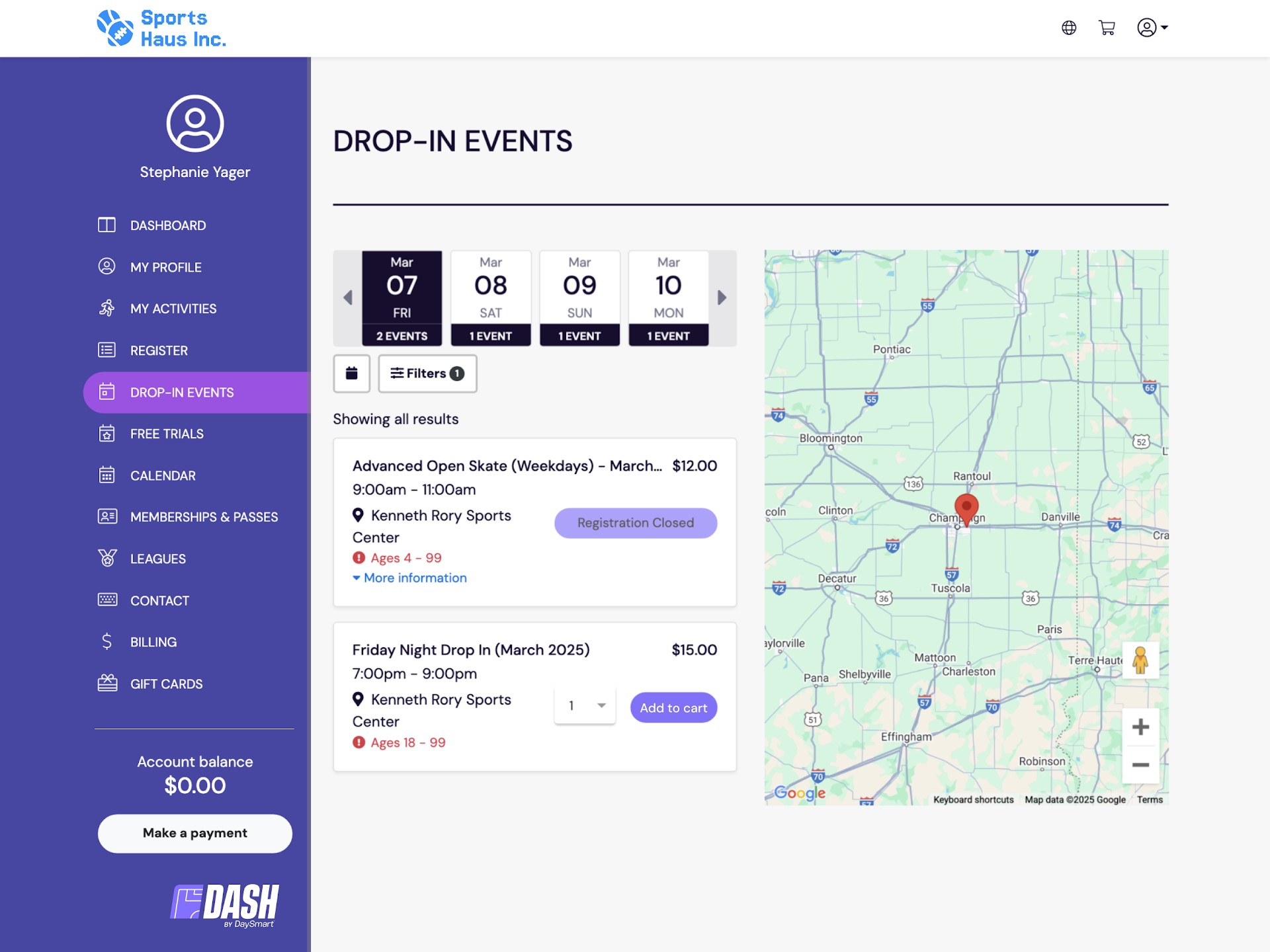
DaySmart Recreation operates in an increasingly competitive B2B2C SaaS market. Our legacy application suffered from an outdated user experience with severely limited mobile functionality. This friction led to significant drop-off rates during critical customer workflows, specifically account registration and facility checkout.
Strategic Approach & Discovery
Before moving to pixels, I needed to define the exact points of failure. My strategy involved:
- Quantitative Analysis: Leveraged Google Analytics to track user behavior, pinpointing the exact stages in the conversion funnels where mobile users were abandoning the process.
- Qualitative Research: Conducted in-depth user interviews with both facility managers (SMBs/Enterprise) and their end-customers to understand pain points, formulating clear problem statements to prioritize design challenges.
Process & Execution
I led the end-to-end modernization of the application, prioritizing a mobile-first architecture. This involved generating multiple design concepts, mapping new interaction flows, and restructuring the information hierarchy to enhance user findability across devices.
I built low-fidelity wireframes followed by high-fidelity interactive prototypes to validate our assumptions. A major component of the execution involved deep cross-functional collaboration with engineering and product teams to ensure the new visually appealing design system aligned with technical constraints and brand identities.
Impact & Outcomes
By simplifying the registration setup and clarifying checkout steps to build trust, the redesigned application fundamentally improved the product's performance metrics.
- Achieved a 20% increase in mobile user adoption through responsive design.
- Improved core conversion rates by 5% across the platform.
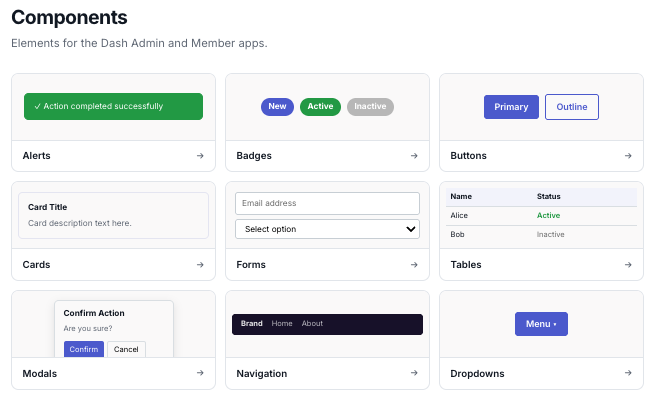
- Established a reusable, scalable design system that drastically increased efficiency for future engineering projects.
AI-Accelerated Churn Mitigation
DaySmart Software
Context & The Problem Space
Several high-value enterprise accounts were flagged as severe churn risks due to specific workflow inefficiencies and UI friction points. However, core engineering sprints were entirely committed to existing roadmap initiatives. We faced a critical roadblock: waiting for traditional development cycles meant likely losing these major clients.
Strategic Approach
I recognized this required a strong bias for action. I needed a way to deliver production-ready solutions without taxing the engineering team. I established a rapid-response triage workflow, partnering directly with Customer Experience (CX) teams via Slack to capture raw feedback and utilizing ProductBoard to isolate the highest-impact "quick wins."
Process & Execution
Instead of generating Figma prototypes that would sit in a backlog, I blurred the lines between design and engineering. Leveraging Claude Code, I took full ownership of the implementation. Guided by my strong foundation in mobile-first front-end architecture, I was able to rapidly prompt, review, and refine the front-end code, bypassing the traditional design-handoff bottleneck entirely.
// To bypass the engineering backlog, I formulated strict system
// prompts allowing Claude to output production-ready React updates.
{
"role": "system",
"content": "You are a Senior Design Technologist. Update the
provided React component to resolve the CX friction points noted.
You MUST adhere to the following strict design tokens:
--color-brand-primary: #0056b3;
--spacing-base: 1rem;
Do not alter the underlying data mutation logic."
}
Impact & Outcomes
By leveraging AI as a force multiplier, I executed critical updates in a fraction of the standard timeframe.
- Shipped targeted UI solutions outside the standard sprint cycle directly to production.
- Resolved critical pain points for at-risk enterprise accounts, successfully mitigating churn.
- Proved the viability of an AI-accelerated product development lifecycle, demonstrating how design can deliver immediate business value independently.
AI-Ready Figma Design System
DaySmart Software
Context & The Problem Space
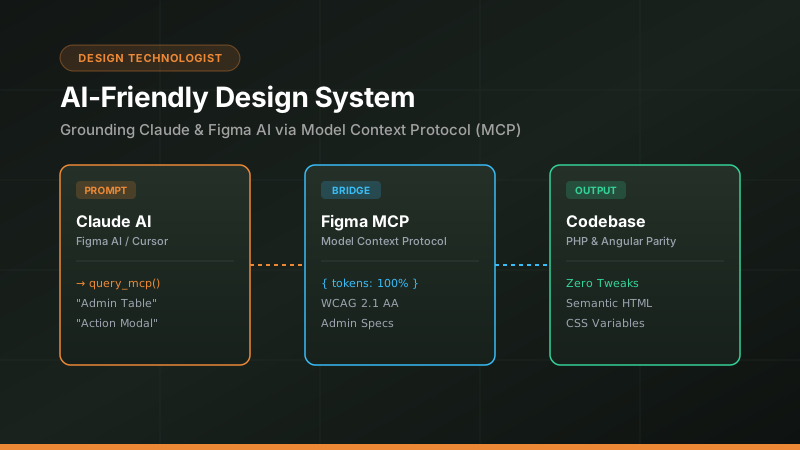
As we increasingly integrated AI coding agents into our development workflows, a new bottleneck emerged. Our existing Figma design system, while visually consistent for humans, lacked the strict semantic structure required for AI agents (like Claude and Cursor) to accurately interpret and generate production-ready UI components.
Strategic Approach
I initiated a project to bridge the gap between human design intent and AI comprehension. I analyzed the specific prompting failures and structural gaps that caused AI agents to hallucinate or break layout constraints. The solution required migrating from a traditional UI kit to a highly structured, token-driven approach optimized explicitly for LLM consumption.
Process & Execution
I systematically audited and restructured the Figma design system from the ground up. I leveraged Claude to help write comprehensive, machine-readable documentation defining strict design tokens, standardized component behaviors, and explicit layout rules. I created robust guidelines that translated visual design choices into clear, prompt-ready context windows for front-end generation.
// I restructured Figma documentation from human-readable paragraphs
// to machine-readable rulesets for higher fidelity AI generation.
/* 🚫 OLD WAY (Fails in AI):
"Use the primary blue for main buttons and make them pill shaped."
✅ NEW WAY (Succeeds in AI): */
{
"component": "ButtonPrimary",
"tokens": {
"background": "var(--color-blue-600)",
"border-radius": "var(--radius-full)",
"padding": "var(--spacing-md) var(--spacing-xl)"
},
"constraints": "Never override fixed heights. Rely on padding."
}
Impact & Outcomes
This initiative fundamentally evolved how our team moves from design to code.
- Transformed a standard UI kit into a fully AI-operable framework.
- Drastically reduced the time required to generate accurate, brand-aligned UI code for new features.
- Established a new standard for how modern design systems can empower engineering in an AI-forward development cycle.
Experience & Education
Senior UX Designer
- Lead end-to-end UX design for an enterprise-class SaaS product, bridging the gap between product requirements and engineering constraints.
- Synthesize quantitative data (Pendo, Google Analytics, ProductBoard) and qualitative research to inform product-level customer experience decisions.
- Increased mobile user adoption by 20% and improved conversion rates by 5% through a systematic, mobile-first app redesign.
UX Developer
- Acted as the primary bridge between design and development, updating complex legacy applications with modern, consistent interface frameworks.
- Collaborated closely with engineering teams to address technical debt and successfully plan the architectural migration from PHP to Angular.
Lead Web Designer
- Led design efforts for business websites and internal applications, collaborating closely with development teams to ensure high-quality delivery.
- Designed and engineered a complex WYSIWYG website builder featuring localization support (English/Japanese) and integrated e-commerce functionality.
- Mentored junior designers through regular design critiques, code reviews, and capability-building workshops.